
One confidential workspace for every patent matter
 Patent Law Joe’sCase Manager
Upload the pleadings, patents and orders. Case Manager keeps each original unchanged, reads its text with page references, and drafts answers that quote your own documents.
New here? Choose “Create account” on the sign-in page. Every session uses two-step login.

A 80-second tour of the workspace
A narrated walk through Case Manager, with captions. Nothing downloads until you press play.
Originals stay exactly as uploaded
Bring a matter’s documents into one workspace. Each original is kept unchanged, and its text is read with page references you can check against the page itself.
PDF, Word and text uploads
The original stays downloadable, byte for byte.
OCR for scanned pages
Pages without a text layer can be transcribed.
Public USPTO imports
Patents, applications, assignments and eGrant originals.

The case overview, linked to its sources
Keep who and what the case is about in one place. Each record can name the document and page it came from, and you organize them as you see fit. Deadlines are records you enter; nothing is calculated.
- Patents
- Parties
- Clients
- Counsel
- Experts
- Witnesses
- Deadlines

Protective orders, clause by clause
Case Manager finds the protective order among the uploads, and each obligation you track links to the clause it comes from.

Answers that quote your own documents
Ask Joe about the matter. The answer is a draft for attorney review, and each finding opens to the unchanged text it relies on, with the file and page.
Your consent, request by request
Nothing is sent until you consent to that request.
You choose the model
Pick the model before you send the question.
Amazon Bedrock in Ohio
No training on your data.
Offline documents stay offline
Documents marked offline or local-only never go to the cloud.



Matter briefs in Word and PDF
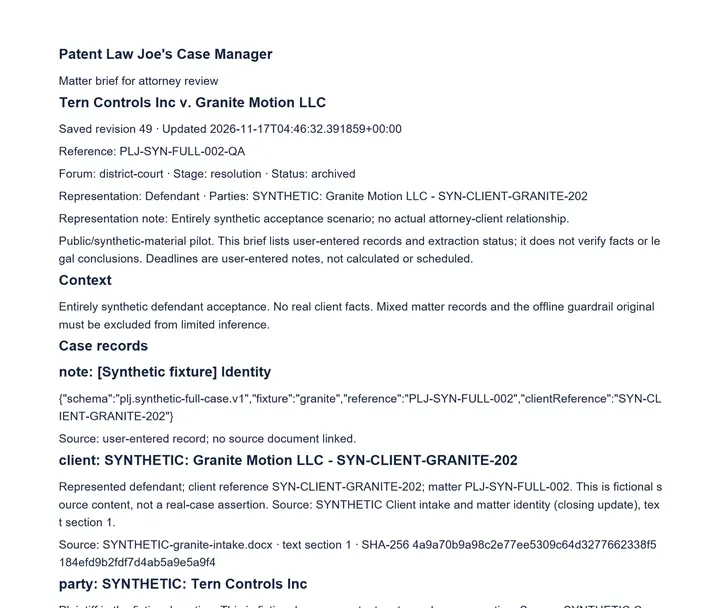
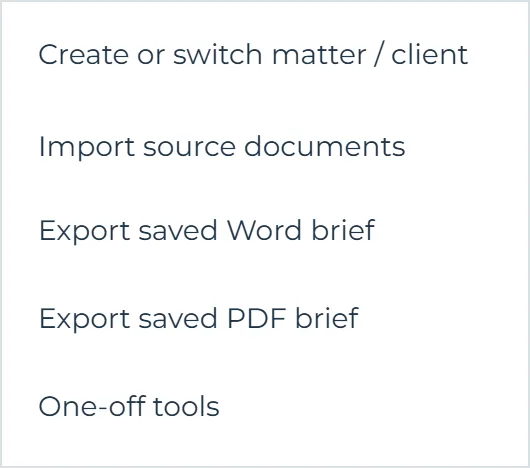
Export the saved matter as a brief for attorney review, each record with its source. From the same matter, link the work you do in the specialist tools.
- Prior art
- Infringement
- Invalidity
- Drafting
Confidential by default
Access is set at three levels: the firm, the matter and the document. Matter material is never used for training.
Two-step login
Required for every session, not only the first.
Firm, matter and document access
People see the matters and documents they are given.
Attorneys’-eyes-only grants
Limit a document to the people granted access to it.
Preservation holds
A hold blocks permanent deletion of originals and their text.
Encrypted daily offsite backups
An encrypted copy is made every day and kept offsite.
Deletion removes stored files
Deleting a matter removes its stored files.

For firms
Firm owners add and remove people by email and assign each matter to the people who work on it.
Your first matter in three steps
- 1Sign in, or create an account on the sign-in page.
- 2Turn on two-step login in your account.
- 3Create a matter and upload its documents.
The screens on this page show a fictional matter made for testing.